Download the zip
From GitHub: cvforge-v1.3.1.zip, a single file for macOS, Windows and Linux, with its checksums.txt to verify it.
// Product · CVForge · free and open
Paste a job posting and within twenty seconds you know whether it’s worth your time. A CV, cover letter and answers where every claim is tied to your real experience. Whatever can’t be verified is flagged in red. It runs on your computer, with your own key, in English or Spanish.
v1.3.1 · cvforge-v1.3.1.zip · or try it first in the demo →
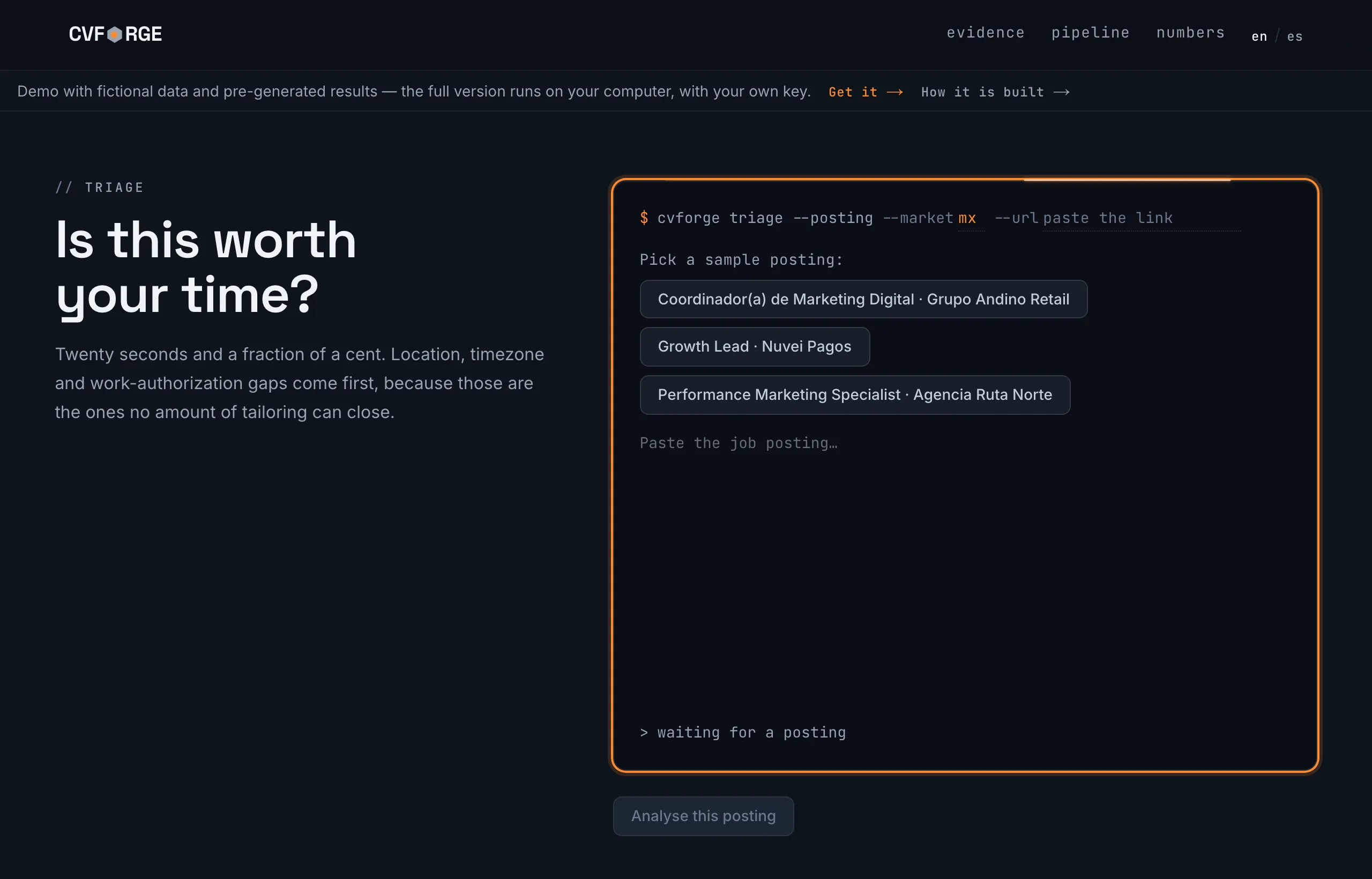
● LIVE The demo runs with a fictional person whose sample data is in Spanish. No email, no key.
// The difference
Every CV bullet cites the record it came from. Whatever can’t be backed up is flagged in red before you send it, instead of being hidden. Tap a bullet to see its evidence:
ev_06 · Growth Manager, 2018-08 – 2021-02
"Owned the digital merchant-acquisition channel. Activation CPA: $1,450 MXN at the start, $890 MXN at the end of the period. Team of 3."
✓ figures and currency checked against the record · ✓ verb consistent with the role
ev_09 · Growth Manager, 2020-03 – 2021-02
"Built a retention-cohort dashboard in Looker Studio; the sales team adopted it for their weekly meeting."
✓ a claim with no figures: only the trail to evidence is checked
ev_09 · the source says otherwise
"…using simple SQL queries on the events table."
✕ distortion: the source says "simple"; the bullet claims "advanced". It doesn’t go out like this: it’s flagged in red before you ever see it in a PDF.
// What it looks like
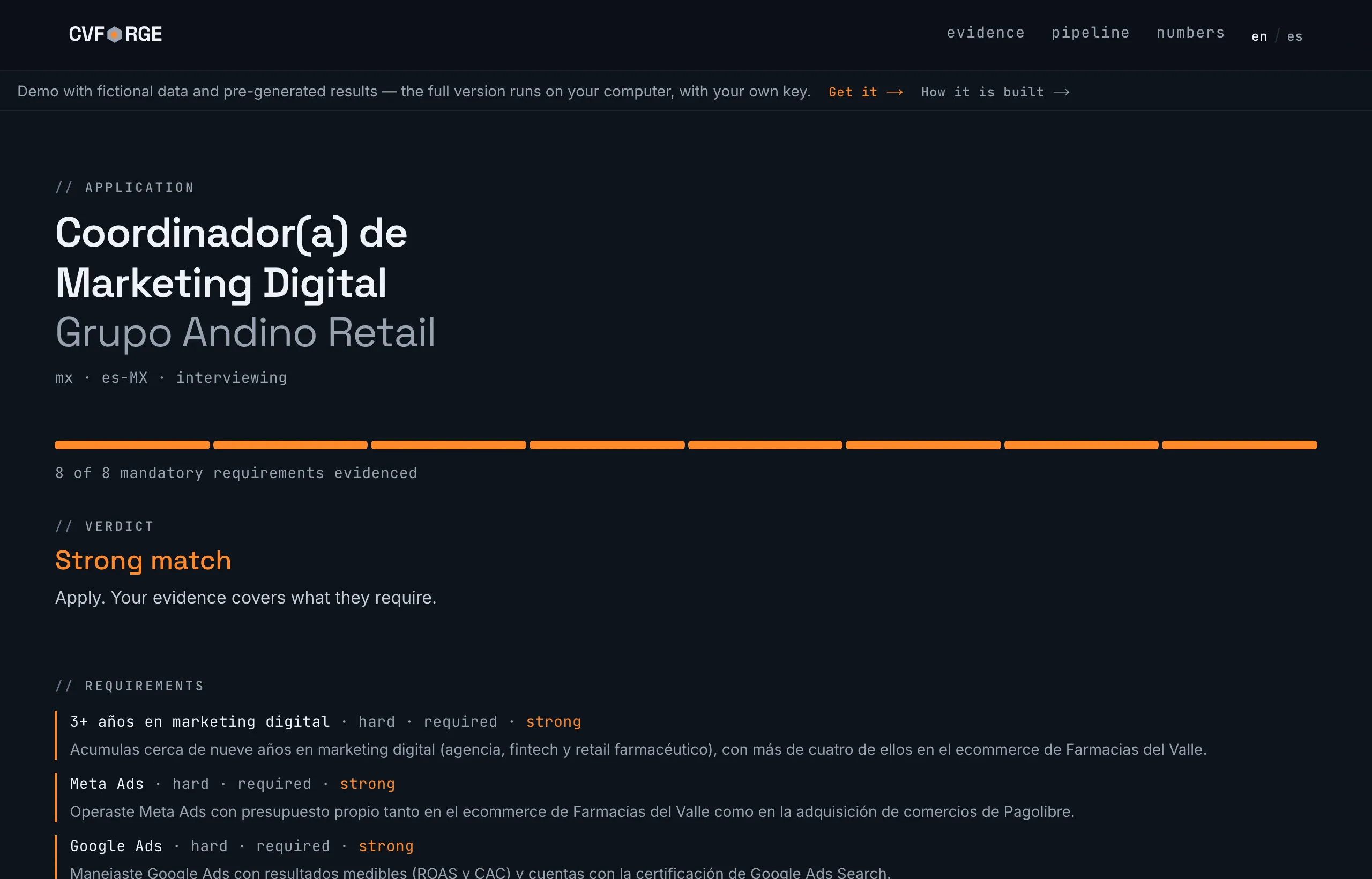
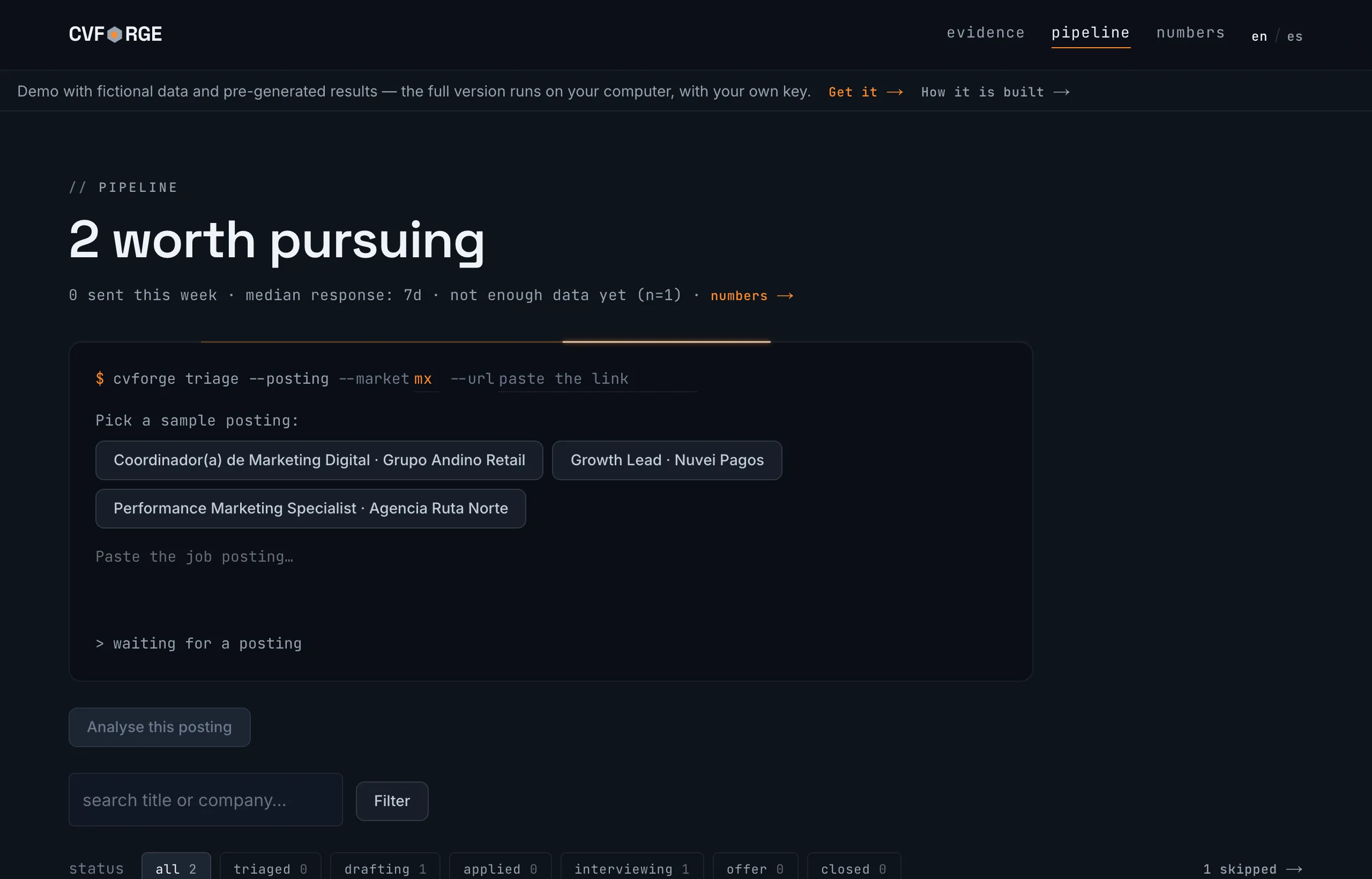
And this is the full app, running with a fictional person: loading a career, triaging postings, generating the kit, reviewing the pipeline and the numbers. No install, no key, no email.
Open the full demo →// Install
No Docker, no terminal, no account to create. On macOS and Windows you install nothing: the app carries everything it needs inside its folder. The only thing you enter, once, is your API key.
From GitHub: cvforge-v1.3.1.zip, a single file for macOS, Windows and Linux, with its checksums.txt to verify it.
Double-click CVForge (macOS) or CVForge (Windows). It opens in your browser within seconds, running on your machine: the runtimes ship inside the folder, so there’s nothing to install.
The first screen walks you through creating the key at console.anthropic.com and stores it only on your computer. That’s all you need.
macOS · Apple Silicon and IntelWindowsLinuxOn Linux it runs with Node.js 20+ (free) from ./programa/start.sh.
macOS: the app isn’t notarized yet. If macOS blocks it, go to System Settings → Privacy & Security → “Open Anyway”, or right-click → Open on macOS 14 or earlier.
Windows: the launcher hasn’t been tested on a physical Windows machine yet. If something breaks, let me know on GitHub →
// What it costs to use
CVForge charges nothing: no license, no subscription. It uses your own Anthropic key, so the only cost is what you use of their API, at Anthropic’s rates with no middleman. A normal job search comes to a few dollars a month.
What the API costs, with your numbers
Assumes you generate the full kit (CV, letter, answers and message) for 1 in every 6 postings analyzed.
Anthropic API · your key
≈ $7.55 / month
35 analyses (≈$4.55) + 6 full kits (≈$3.00)
And that’s all it costs: the app is free, and every call is logged with its cost inside the app, so you can see where it goes.
// Open source · MIT
A tool that promises to make nothing up about you and to send your data nowhere should be checkable. That’s why the whole codebase is on GitHub: the citation check, the number check, and the one network connection it makes.
MIT license
Use it, read it, change it. There’s no paid version hiding behind it.
One zip for everyone
The same file for macOS, Windows and Linux, with its checksums.txt.
No accounts
No sign-up, no email, no Korven server in the middle.
Bugs and ideas
In the GitHub issues, in plain view.
gdberysan/cvforgev1.3.1
TypeScript · MIT
// Privacy
CVForge keeps everything in a file on your machine. The only network connection it makes is to api.anthropic.com, with your key, when you ask for an analysis or a document. No accounts, no analytics, no telemetry, and nobody, not even me, sees what you do with the app.
// Questions
No catch: the app is free and the full code is on GitHub under the MIT license. The only thing that costs money is the Anthropic API, which you pay directly with your own key, at Anthropic’s rates: ≈ $0.13 USD per posting analysis and ≈ $0.50 USD per full kit. Korven takes no cut and never sees that usage.
On macOS and Windows, no: unzip, double-click, and it opens in your browser within seconds, because everything ships inside the folder. On Linux it runs with Node.js 20+ (free) from ./programa/start.sh. The only account you need is an Anthropic API key, and the app walks you through creating one.
The app isn’t notarized by Apple yet, so the first time macOS blocks it. Open System Settings → Privacy & Security and choose “Open Anyway” (macOS 15 or newer), or right-click CVForge → Open (macOS 14 or earlier). You only do this once.
It should: the zip carries the Windows runtime and its launcher. But the launcher hasn’t been tested on a physical Windows machine yet, so if something breaks, a GitHub issue helps a lot.
No, and it’s built so it can’t: every claim cites one of your records, numbers are checked in code, and a requirement the analysis marked as a gap can’t show up as an achievement. If something can’t be verified, it’s flagged in red before you send it.
Only to the Anthropic API, with your key, when you ask for an analysis or a document. No accounts, no analytics, no telemetry. The database is a file on your machine, and you can read the code to check.
ChatGPT writes whatever you ask, including the exaggeration you don’t notice on a reread. CVForge is something else: your career structured as evidence, a triage that rules out postings in twenty seconds, and a check that blocks whatever you couldn’t stand behind in the interview, all without pasting your CV into someone else’s chat.
They’re published on GitHub Releases. The download button on this page always points to the latest one.
A bug or an idea? Open it on GitHub → · A question? email me → · Want to read the system as well as use it? How it’s built →
The demo asks for no email and no key. The app is free and the full code is on GitHub. There’s no way this goes wrong for you.